
Signs Your WooCommerce Store Has Outgrown Shared Hosting
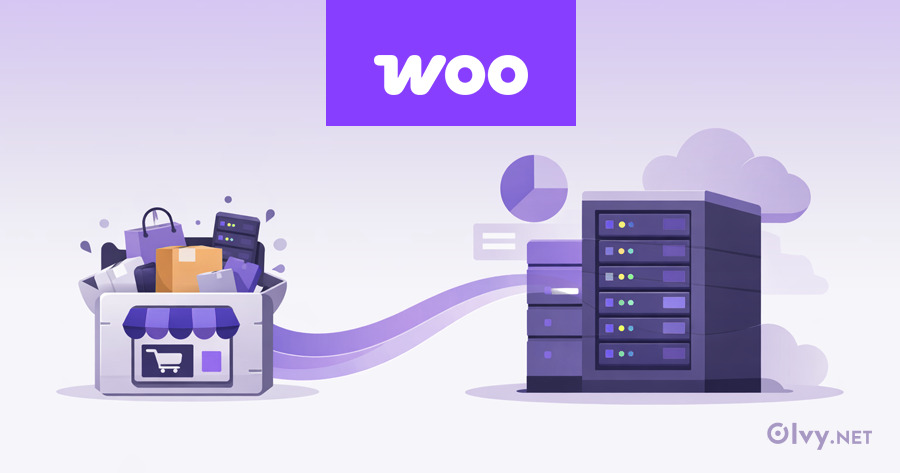
Shared hosting is often where WooCommerce stores begin – and for early-stage projects, it can be sufficient. But as a store grows, its technical demands change quickly.
Many WooCommerce performance, reliability, and scaling issues are not caused by themes or plugins. They are caused by hosting environments that were never designed for e-commerce workloads.
Here are the most common signs that your WooCommerce store has outgrown shared hosting – and why ignoring them usually leads to lost revenue.
Contents
1. Performance Drops During Traffic Spikes
Your store works fine most of the time – until traffic increases.
Sales campaigns, ads, email newsletters, or seasonal peaks suddenly cause slow pages, cart issues, or checkout failures. This happens because shared hosting distributes CPU and RAM across many websites.
When demand rises, your store competes for resources it doesn’t control.
If performance degrades only under load, it’s a strong indicator that shared hosting is the bottleneck.
2. Checkout Issues Appear Under Load
A fast homepage does not mean a reliable store.
Checkout pages are dynamic and uncached. They rely heavily on PHP execution and database responsiveness. On shared hosting, concurrent checkout requests often exceed available resources.
Common symptoms include:
- slow checkout pages
- timeouts during payment
- failed or duplicated orders
These issues tend to appear only when traffic is highest – exactly when reliability matters most.
3. Admin Dashboard Becomes Slow or Unusable
As orders, customers, and products increase, WooCommerce becomes more database-intensive.
On shared hosting, databases are rarely optimized for this kind of workload. Over time, the admin area becomes sluggish:
- order lists load slowly
- product edits take seconds
- reports time out
This isn’t just inconvenient – it affects daily operations and order management.
4. “Noisy Neighbor” Problems Become Frequent
Shared hosting environments place many unrelated websites on the same server.
If another site experiences a traffic spike, runs heavy scripts, or gets attacked, your store can slow down – even if nothing changed on your end.
These “noisy neighbor” issues are unpredictable and difficult to diagnose, but they are a common reason WooCommerce stores experience random performance drops on shared hosting.
5. Caching Plugins Stop Helping
Caching plugins can improve performance, but they have limits.
As your store grows, plugin-level caching can’t compensate for:
- limited CPU and RAM
- slow database responses
- lack of server-level caching
When you have optimized themes, images, and plugins – and performance still degrades – the issue is almost always the hosting layer.
6. Scaling Requires Manual Migrations or Downtime
On shared hosting, scaling usually means migrating to a new plan or provider.
This often involves:
- downtime
- DNS changes
- rushed migrations under pressure
If every growth step feels risky or disruptive, it’s a sign the hosting environment isn’t designed for scalability.
7. Support Can’t Help Beyond “Optimize Your Plugins”
Shared hosting support teams manage thousands of websites with identical setups.
When WooCommerce issues arise, the advice is often limited to:
- disable plugins
- reduce traffic
- upgrade your plan
If support can’t address database performance, PHP execution, or infrastructure-level issues, you have likely reached the limits of shared hosting.
Why This Happens with WooCommerce
WooCommerce is not a simple CMS. It requires:
- consistent CPU and RAM
- fast, well-tuned databases
- server-level caching
- stable performance under concurrent load
Shared hosting is optimized for low-cost, low-demand websites – not growing e-commerce stores.
This gap becomes visible as soon as real customers, real orders, and real traffic enter the picture.
Shared Hosting vs Managed WooCommerce Hosting
| Feature | Shared Hosting | Managed WooCommerce Hosting |
|---|---|---|
| CPU & RAM | Shared with many sites | Dedicated & guaranteed |
| Performance under load | Degrades during traffic spikes | Stable during peak traffic |
| Database optimization | Generic configuration | Tuned for WooCommerce workloads |
| Checkout reliability | Prone to timeouts & failures | Designed for concurrent checkouts |
| Caching | Plugin-level only | Server-level + object caching |
| Scalability | Requires migrations | Scales without downtime |
| Noisy neighbors | Common issue | Isolated environment |
| Support expertise | General WordPress support | WooCommerce & infrastructure-focused |
| Suitable for | Small / low-traffic sites | Growing & revenue-driven stores |
For store owners evaluating their next step, understanding how managed WooCommerce hosting is built – beyond marketing labels – helps avoid costly migration mistakes later.
What Comes Next
Outgrowing shared hosting doesn’t mean something is wrong with your store.
It usually means:
- traffic is increasing
- order volume is growing
- business is scaling
At this stage, hosting decisions should focus less on price and more on infrastructure design.
This is where managed WooCommerce hosting becomes relevant – not as an upgrade, but as a foundation for growth.
Conclusion
Shared hosting is a starting point – not a long-term foundation for e-commerce growth.
If your store shows multiple signs described above, it’s worth evaluating whether your hosting environment still matches how your business operates today.
About Olvy ( www.olvy.net ) :
Olvy is a private and independent Limited Liability Company based in Bratislava, Slovakia, in the heart of Europe. We combined our invaluable 20+ years experience to develop innovative and reliable, lightning-fast and affordable Managed Cloud Hosting services for Everyone. From a small blog to a growing eCommerce – Olvy takes care of your website 24/7.
